
Getting Started with Articulate Storyline
Getting Started with Articulate Storyline

Articulate Storyline is one of the most used tools for producing e-learning. And for good reason.
It is very easy to use and is based on the same user interface most people know from PowerPoint.
In this article, we have collected a number of links that can help you get started with Articulate Storyline.
We have collected links to pages where you can learn how to use Storyline and get help if you have questions, and links to pages where you can download free graphics, sound, etc.
Get started quickly with Articulate Storyline
The best tip we can give you to get off to a good start is to use Storyline's tutorials and elearning community, which are all over the program. But you can always find them by clicking on "Help".
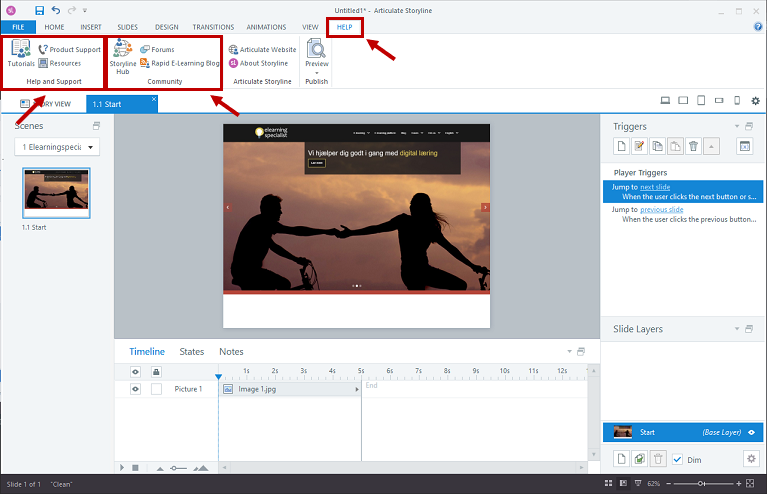
In addition to specific tutorials, there are also a wealth of tips and tricks in the Storylines community , where you can get answers to everything between heaven and earth. And if you can't find an answer, write in the community what help you need.
Tutorial examples
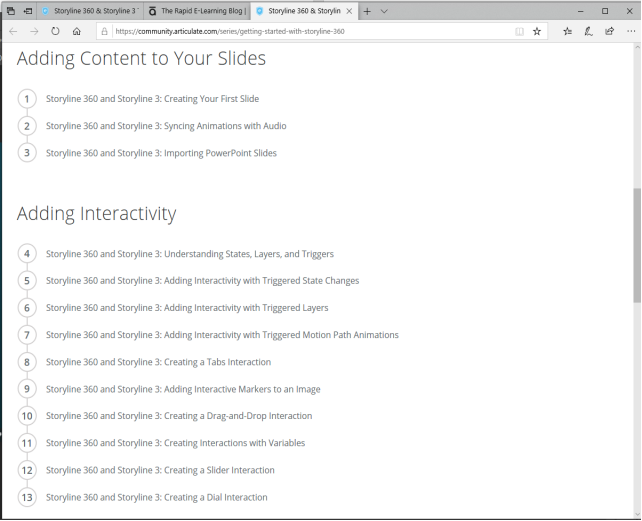
List of startup tutorials:
https://community.articulate.com/series/getting-started-with-storyline-360
How to create your first slide:
https://community.articulate.com/series/getting-started-with-storyline-360/articles/articulate-storyline-360-tutorial-how-to-create-your-first-slide
How to make sound and animations go together:
https://community.articulate.com/series/getting-started-with-storyline-360/articles/articulate-storyline-360-tutorial-how-to-sync-animations
To import PowerPoint:
https://community.articulate.com/series/getting-started-with-storyline-360/articles/articulate-storyline-360-tutorial-how-to-import-powerpoint-slides
E-learning blog
Articulate Storyline also has an e-learning blog, which is packed with tips and tricks:
https://blogs.articulate.com/rapid-elearning/ 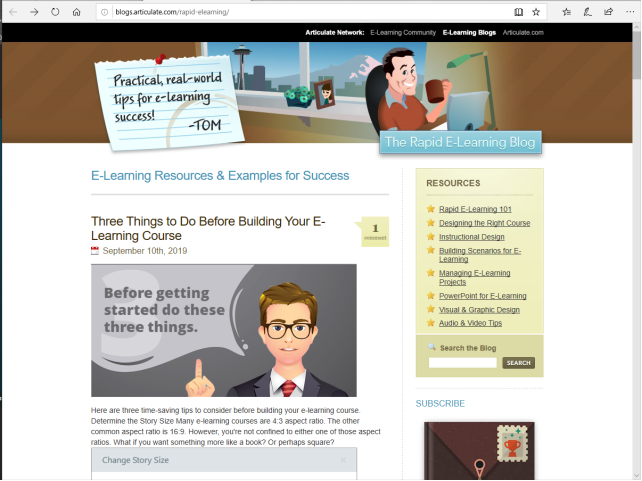
E-learning Heroes
Articulate Storylines has its own online community where you can get help with everything related to storyline. The community is called E-learning Heroes. Employees at Articulate, but also regular users like yourself, answer storyline questions. And it's usually pretty quick to get answers to your questions.
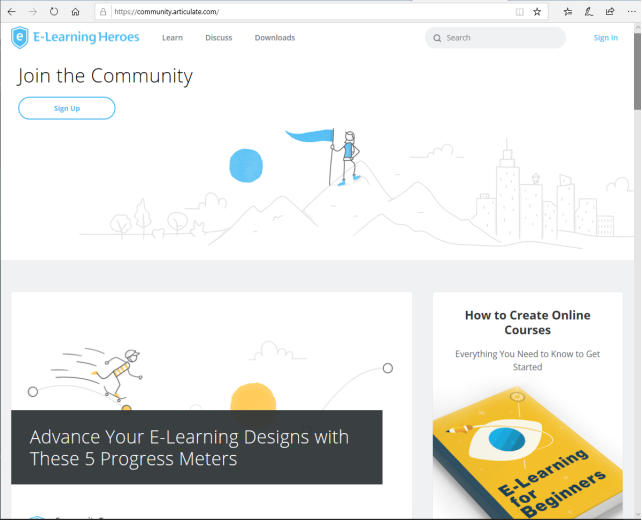
But E-learning Heroes is not just a community where you can ask questions and get answers. There are even more tutorials and free downloads here. For example, templates, graphics and e-books about e-learning.
But of course, Articulate isn't the only place you can get help using Storyline. There are a lot of other free places online where you can download templates for Articulate Storyline, free sound effects, graphics, and photos.
Free Articulate storyline templates
https://fastercourse.com/elearning-templates/articulate-storyline/free-storyline-templates/
https://elearningbrothers.com/elearning-asset-library/
Free Graphics
https://www.freepik.com/
https://www.vecteezy.com/
https://www.pixeden.com/free-vectors
Free audio
https://freesound.org/
https://www.bensound.com/
Free Photos
https://unsplash.com/
https://pixabay.com/
https://www.stockvault.net/
https://www.pikwizard.com/
Do you want to? learn more?
We hold courses in Articulate Storyline , where you can learn in one day how to create e-learning with text, audio, images, animation, quizzes and interactivity.
If you'd rather learn it on your own, will these articles might interest you.
- Self-determination theory. The most important theory you need to know about learning.
- Forced design – how not to design e-learning .
- Your brain is NOT a computer - Predictive Coding
- Flick 2 learn. Why Interactive elearning is NOT always exciting elearning
- Gamification
If you want to know more about the technique behind digital learning and e-learning, you can read our E-learning FAQs .
... and if you are looking for help developing exciting e-learning - we can help you too.